 |
| From Blog Pics |
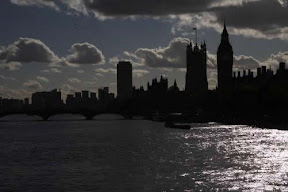
At the end of this month I am off to London. Myself and Tassy Thomson from The Lighthouse. We have been asked to run a workshop for Architecture education staff from around the UK.
This is not the first time myself and Tassy have worked together. In fact we are old friends.
The invite came about from working on a workshop last summer in Finland courtesy of The Alvar Aalto Institute. Where we developed resources to allow young people to explore the built environment. I suggested using ICT (no surprise) to record what the young people experienced.
Therefore we have asked to give examples of cheap ways of using ICT to work with young people.
One thing I am keen to do is to get the pupils on Islay to get involved. I have ask 3 pupils to demonstrate the use of sketchup/Google earth via Video Conference and a bridge to the Internet.
Tassy has suggested getting the participants to come up with an educational project proposal using the skills introduced during the workshop and getting feed back from the pupils on Islay. I think this a great idea. It has several outcomes. The first and most obvious is that the participants will take away some real and practical but to me the idea of pupils on a Scottish island telling people in London how to do something and having their opinion listened too is a huge psychological switch. This will boost the confidence of the pupils and make the big city people think wider in how and who they work with.
The app's we will introduce are:
Sketchup 3d modeling app which can place buildings into
Google Earth
Picassa Cataloguing app but has some simple image editing
The Gimp full blown image editor – Shame about the name
Audacity – powerful sound editor
Freemind – mind mapping app
Photostory – simple app to create sound, image based video
Westpoint Bridge Design – engineering bridge solutions
Pre installed Windows
Moviemaker
Pre installed Apple
GarageBand
iMovie
and
Useful websites no particular order
http://www.handheldlearning.co.uk/ General use for using mobile ICT
http://www.createascape.org.uk/ Great to start off on how to
http://www.geolit.org/RockvilleCSI/ Cemetry Scene Investigation Pupils investigating their own community
http://www.enquiringminds.org.uk/ I love this way of working
http://www.spokenword.ac.uk/padova.php Picked this up at BarCampScotland
http://bridgecontest.usma.edu/ Bridge engineering site
http://www.teachers.tv/ Lots of uses to link to the curriculum
http://www.creativecommons.org.uk/ understanding creative commons
http://www.flickr.com/ of course!
http://en.wikipedia.org/wiki/Wiki A great example of a wiki
http://www.wikispaces.com/ a space to create a starting wiki Maybe for the participants on the day
So what have I missed out on? Anything I should add in?


